
Sending emails to catch-all, invalid or non-existent email addresses can disastrously impact your email deliverability, especially at scale. Not only will it make your bounce rates skyrocket, but your sender reputation will crash.
That said, it’s not always easy to figure out which email addresses work and which don’t. That’s where email verification comes in. So today, I’ll show you how to verify email addresses without sending an email!
Verify your emails with Findymail, so you can start sending with confidence.
Email verification confirms whether an email address exists and can receive messages, without you having to send an actual email. It protects your sender reputation, reduces bounces, and keeps your outreach campaigns healthy.
How Email Verification Works:
1. Syntax check (format + DNS records)
2. Domain & blocklist check
3. Role-based email detection
4. SMTP server validation (checks if the inbox exists)
5. Advanced tools (like Findymail) go further to validate hard-to-verify and catch-all emails.
When You Should Verify Emails:
1. When using data from third-party providers
2. When working with lists older than 30 days
3. Before launching any cold outreach or marketing campaign
What Verification Improves:
1. Sender reputation
2. Bounce rate (keep it under 5%)
3. Spam rate (aim for <1 in 5,000)
4. Campaign data accuracy
5. Overall ROI
Bottom Line:
Findymail is the most reliable way to verify an email without ever hitting send. Thanks to our proprietary algorithm, we detect catch-all and difficult email types to keep your bounce rate under 5%.
What Is Email Verification?
Email verification is a process that allows you to confirm that an email address exists and is accurate. In other words, email verification helps you make sure that there’s a recipient for every email you send. Doing this will keep old and invalid addresses from your email lists, which is required in order to maintain high deliverability.
 Valentin
How Does Email Verification Work?
Email verification runs a series of checks to confirm an address is real and deliverable, without sending an email.
It typically includes:
- Syntax check: Confirms the email follows proper formatting standards.
- Domain & DNS check: Ensures the domain exists, can receive mail, and isn’t blocklisted.
- Role-based detection: Flags generic addresses like info@ or support@, which can increase spam risk.
- SMTP check: Contacts the receiving mail server to confirm whether the inbox exists.
While this sounds straightforward, many mail servers limit or mislead SMTP responses — which is why free tools often only validate “easy” emails. More advanced solutions, like Findymail's email finder, apply additional validation layers to accurately verify even hard-to-detect or catch-all addresses.
Why Should You Verify Email Addresses Before Sending Any Marketing or Sales Emails?
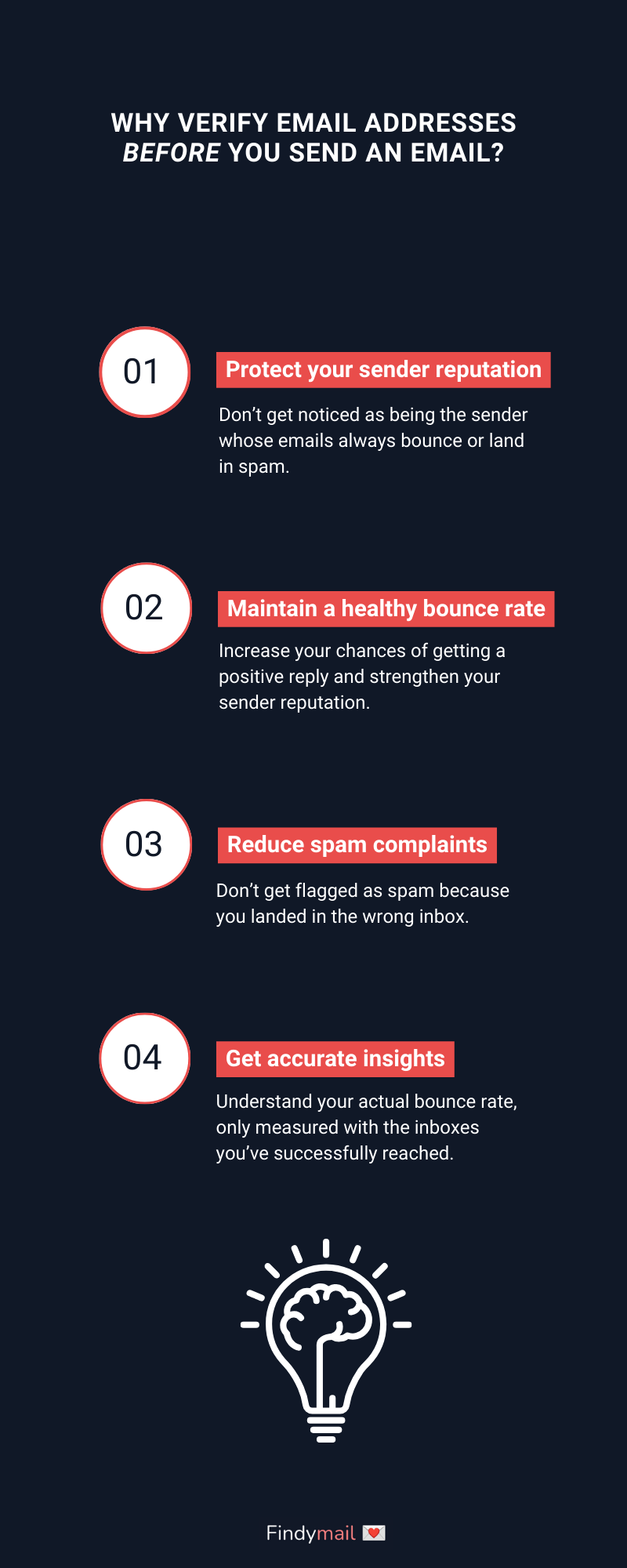
Email Verification Protects Your Sender Reputation
When you send emails to leads and customers, you'll, over time, build up a reputation among email and Internet service providers. This is what's referred to as your sender reputation, and it can be influenced by how often recipients mark your emails as spam and how many bounces you get.
Since email verification reduces spam complaints and bounces, it protects your domain reputation. The impact of having a low domain reputation is your emails landing in spam, which is usually... not what you want 😅.
Maintain a Healthy Bounce Rate
Sending emails to invalid addresses spikes your bounce rate, and the more you bounce, the worse your domain reputation gets. Keep it up, and email providers will start blocking you.
That’s where email verification comes in. It removes invalid addresses before you send, reduces bounces, and helps position you as a trusted sender.
Because of tricky domains and edge cases, some false positives are inevitable. A 0% bounce rate sounds great, but it’s not realistic. Keeping your bounce rate below 5%, however, absolutely is, and that’s the benchmark you should aim for.
Reduce Spam Complaints
When you use an email verification service, apart from identifying invalid and non-existent email addresses, you'll be able to see which users consistently mark your emails as spam. By removing these emails from your list, you'll then reduce your spam rate.
And considering that you, ideally, want your spam rate to be less than 1 in 5,000, this is extremely helpful.
Get More Accurate Insights
You want your email marketing and sales campaigns to be as effective as possible, so you’ll use data analysis to extract insights from your email data. These insights will then show you where your campaigns are performing well, where they are not, and where you can improve.
However, when your list contains many invalid emails, your data will be skewed, and your insights will be less reliable. Getting rid of that noise will help you focus on the actual valuable accounts of your email list.
Email Verification Has a Huge Impact on Your ROI
Email marketing (and cold emails, too) are incredibly profitable; you can get $36 for every $1 you spend on email. But that ROI disappears fast if your emails bounce or land in catch-all inboxes.
Similarly, if your mailing list is bloated, you’ll have to pay more for email marketing tools. You’ll pay higher fees for email tools and hit sending limits faster, without seeing better results.
The truth? The smaller and more accurate your lists are, the better your returns. Clean lists convert. Bloated ones burn budget.
Improve Engagement by Verifying Email Addresses Before Sending Emails
When you verify email addresses and remove invalid ones from your list, your list will be shorter, but you'll generate more engagement. More recipients will read your emails, so your open, click-through, and response rates will be more accurate.
As we have seen, if you clean your lists more regularly, you'll have better deliverability. That translates to more emails landing in ACTUAL inboxes of valuable users 📥️.
Valentin
When Should You Verify Email Addresses?
Short answer? The moment you feel doubt. In email, it’s always better to be safe than sorry.
That said, here are two situations where verification isn’t optional:
1. You got emails from an untrusted source
Many email finders prioritize volume over accuracy. They’ll return as many emails as possible, even if a percentage is invalid. And yes, that happens even with providers that label their data as “verified.”
This is exactly why I created Findymail: to create a data source you can actually trust.
Pro tip: If the emails didn’t come from Findymail, verify them before you send.
2. When using old data
Email data decays quick. Every quarter employees jump ship, companies go through a mid-life crisis and rebrand, and domains expire.
If your list is more than a month old, re-verify it – even if you've already checked it once before. Even a 5% decay rate is enough to push you over the acceptable bounce threshold and hurt your deliverability.
Valentin
How to Verify An Email Address Without Sending An Email in Findymail
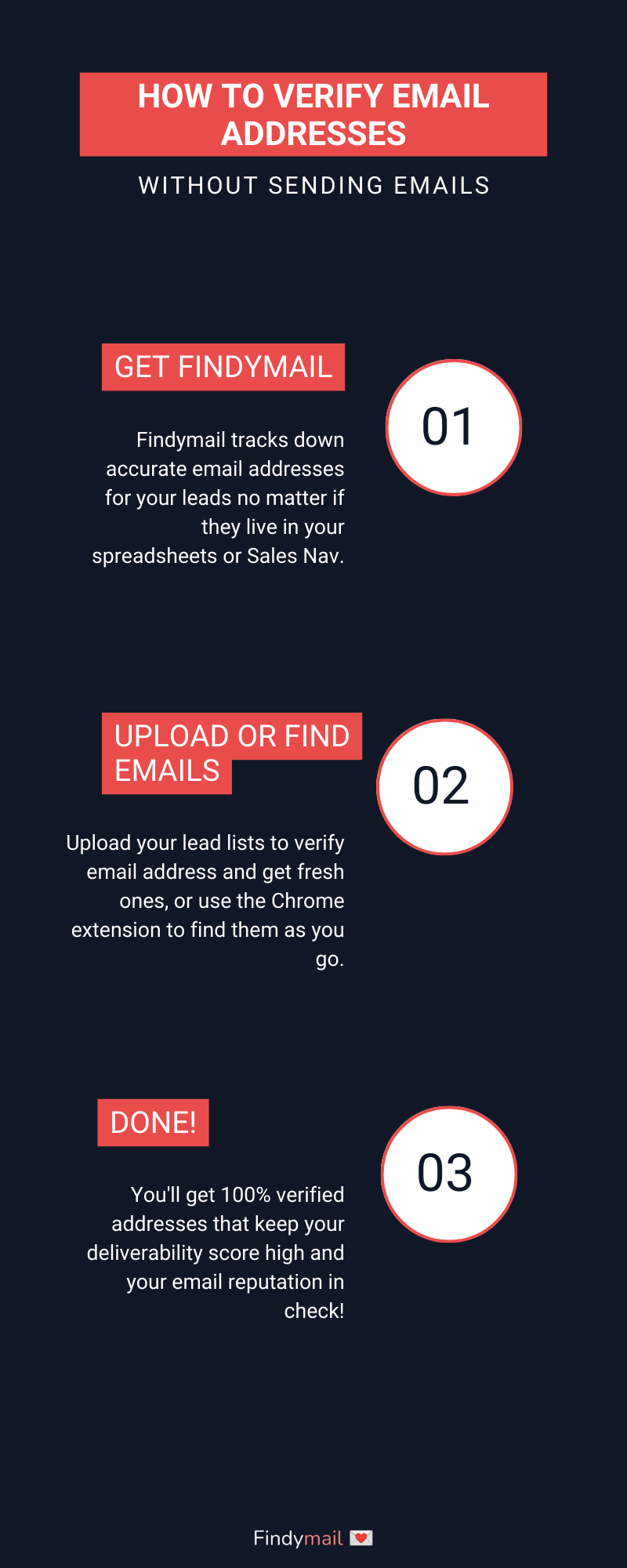
Now that we’ve seen why you should verify email addresses, we’ve come to the most crucial part of this post. Here, we’ll look at how to verify email addresses in Findymail.
Before we do, though, it’s important to note that any email addresses found with Findymail or our Chrome extension are automatically verified.
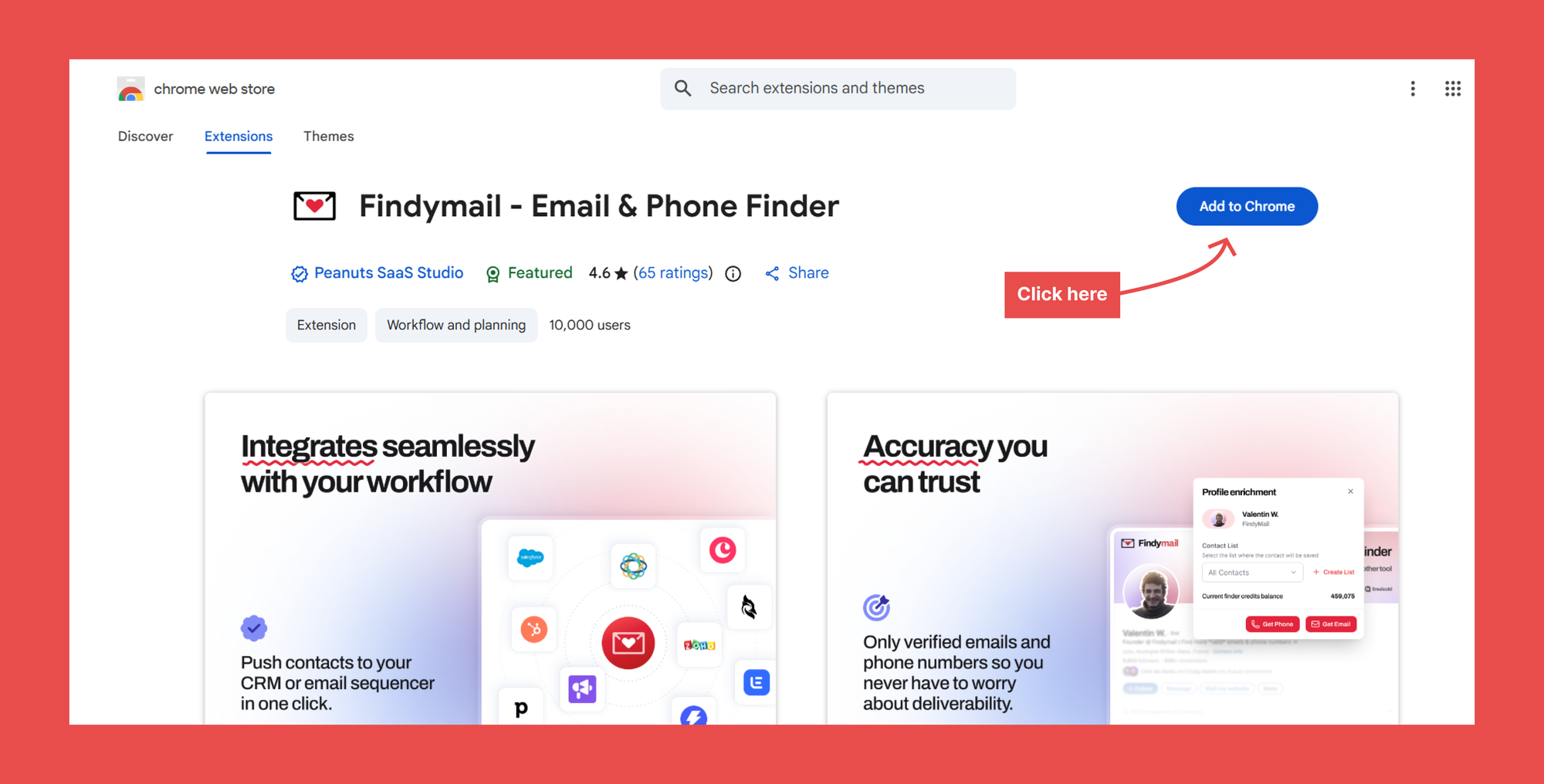
So, this process only applies to email addresses you’ve found elsewhere and that you want to verify.
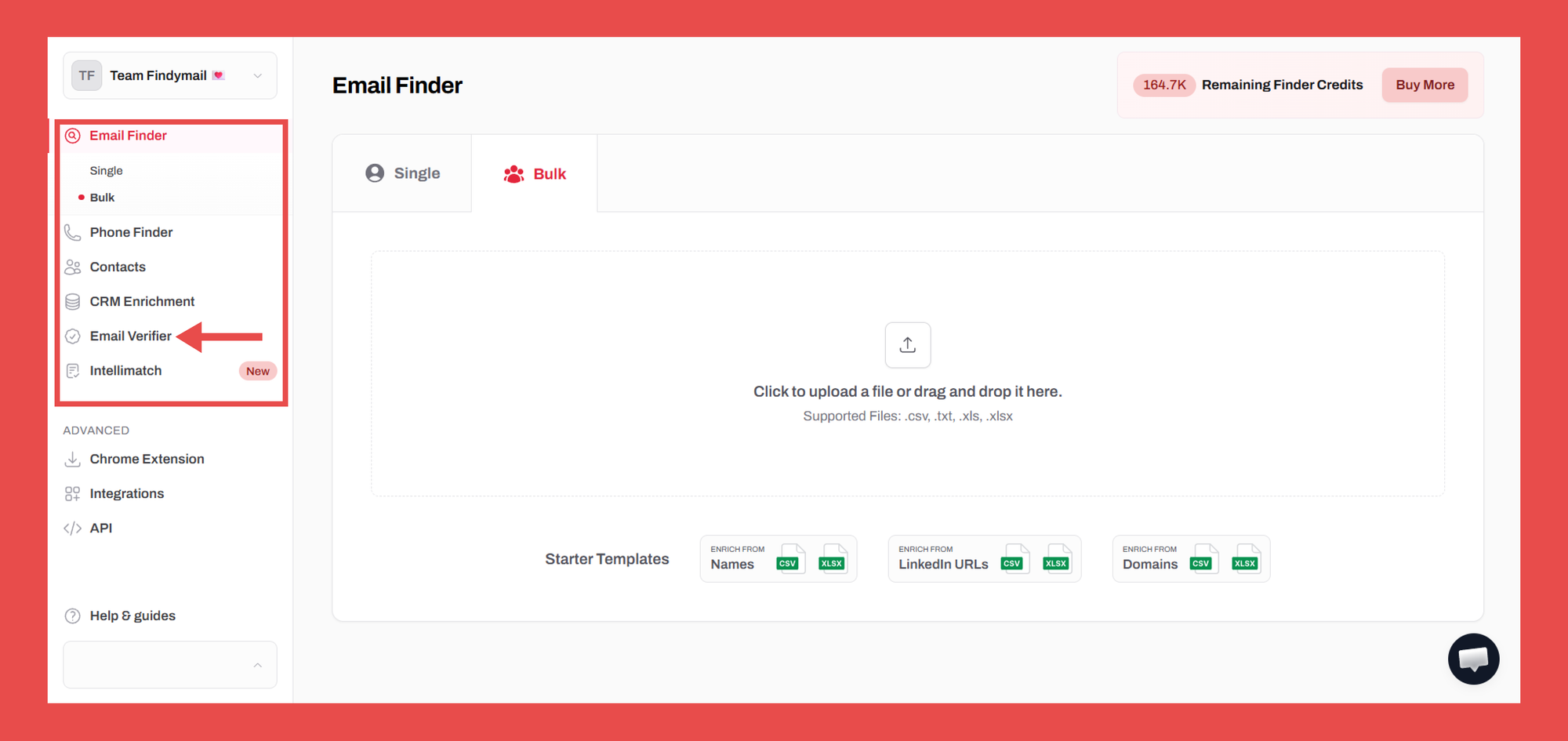
The first step is to go to your Findymail dashboard. Here, you’ll click on Email Verifier in the menu on the sidebar.
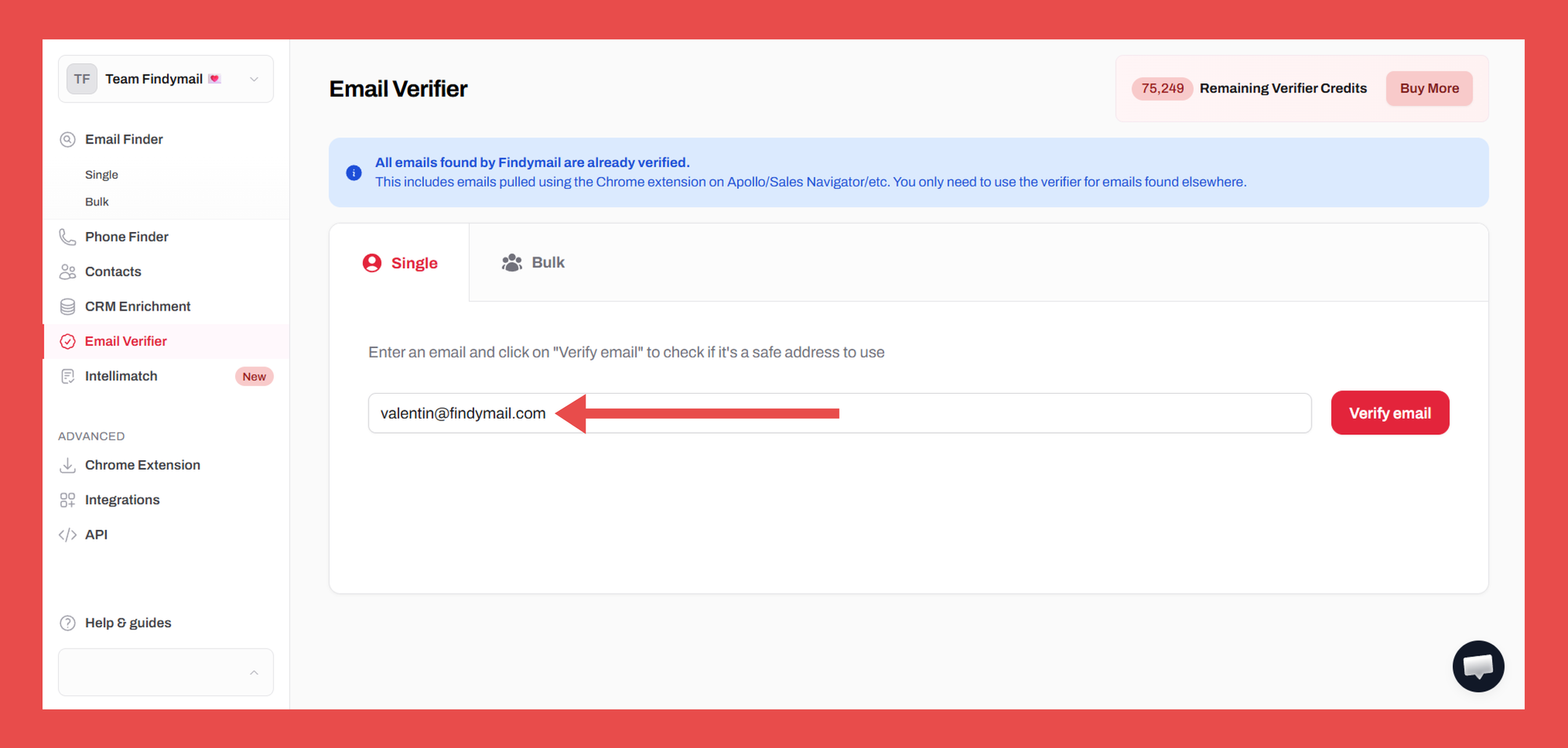
On the next screen, you’ll enter the email you want to verify in the search box and then click on Verify email. Remember, however, that you’ll need a verifier credit for every email address you want to verify.
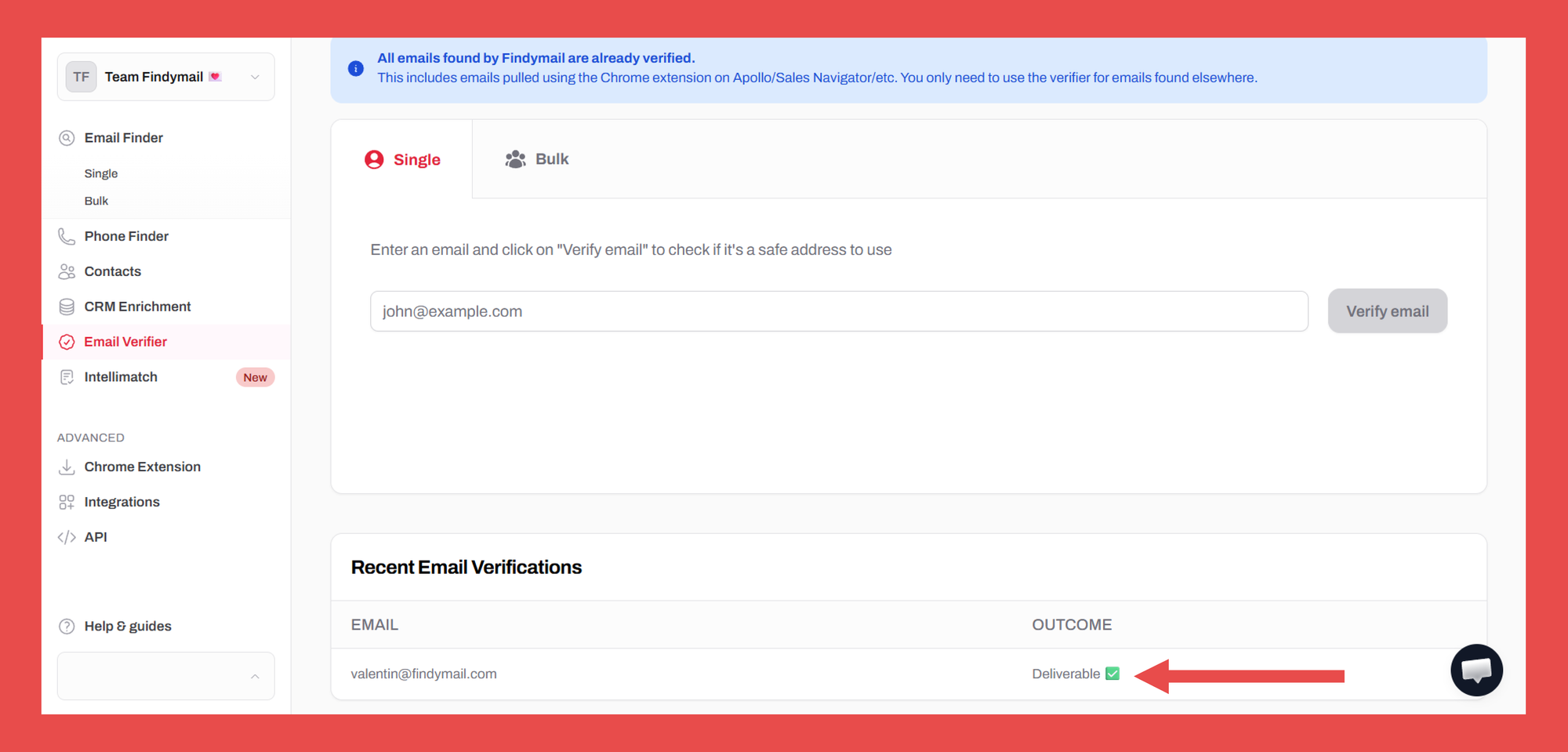
Once done, Findymail will show you if the email is deliverable or if it’s risky to keep it on your list:
There you go; now you’ve seen how easy it is to verify email addresses using Findymail’s Email Verifier!
You can sign up with us today and get your first 10 emails for free!

Valentin
Valentin Wallyn is the founder and CEO of Findymail, a SaaS platform he launched to help B2B teams discover accurate email and contact data and automate data enrichment at scale. With an IT background, Valentin combines a technical mindset with hands-on experience in outreach and growth. His work centers on improving data quality and prospecting efficiency, drawing on years of entrepreneurial experience and a deep understanding of what makes outreach campaigns succeed.