
⚡️Quick Answer:
The fastest way to find someone's email address is to use an email finder tool like Findymail, which searches multiple data sources and verifies the address in real-time. For free methods, check LinkedIn's "Contact Info" section, the company's "About" or "Team" page, or use Google search operators like site:company.com "name" email.
Success rates by method:
| Method | Speed | Accuracy | Cost |
|---|---|---|---|
| Email finder tool (Findymail) | Instant | 97%+ | Paid |
| LinkedIn Contact Info | Instant | Varies | Free |
| Company website | 2-5 min | Varies | Free |
| Google search operators | 5-10 min | Low | Free |
| Social media profiles | 5-10 min | Low | Free |
So you found a lead that’s showing so much potential you can feel the numbers spinning in your head. You’re stuck trying to bypass a pesky gatekeeper who doesn’t know your offer is coming at the right time. Or you just need to find this particular email address to complete your lead list.
No matter the reason, the first step on any (sales) journey is getting the correct email address. And if you’re stuck wondering how to find an email address, let me walk you through the most useful methods.
Let’s do this!
Email Finding Methods Compared
| Method | Best For | Time Required | Cost | Accuracy |
|---|---|---|---|---|
| Findymail | Verified B2B emails at scale | Instant | From $49/mo | 97%+ |
| 1st-degree connections | Instant | Free | High (if available) | |
| Company website | Small companies, founders | 2-5 min | Free | Medium |
| Google operators | Tech-savvy targets | 5-10 min | Free | Low |
| Social media | Influencers, creators | 5-10 min | Free | Low |
| Wayback Machine | Old contacts, legacy sites | 10+ min | Free | Very low |
Method 1: Use an Email Finder Tool (Fastest)
I’ll start with the fastest method: use an email-finding tool. Unless your lead has decided to hide out in Antarctica during the winter season, these tools will likely help you track down their last known email address.
The downside? Email finders aren’t free – but you can always use a free trial (Findymail, for example, offers 10 free credits) to see if the tool is practical enough to be added to your prospecting stack.
Why Findymail Is the Most Accurate Email Finder
I've been in sales for years. A common frustration with email finders? Inaccurate data. You'd think that tools built specifically for this purpose would pay attention to the accuracy of those emails, but nope! That's why Findymail was built with a powerful email verification solution that triple-checks every address.
This isn’t a problem if you’re not sending hundreds of emails every week (or day), but I did. And if you’re serious about sales, you do, too. If only a few percent of those emails are not valid, your deliverability decreases. Your emails start landing in the Promotions tab or – God forbid – the junk folder.
That’s why I built Findymail – complete with a proprietary algorithm that triple-checks every email address it finds, so you can rest assured you’ll reach the human you need on the other side of the screen.
How to Use Findymail to Find an Email Address
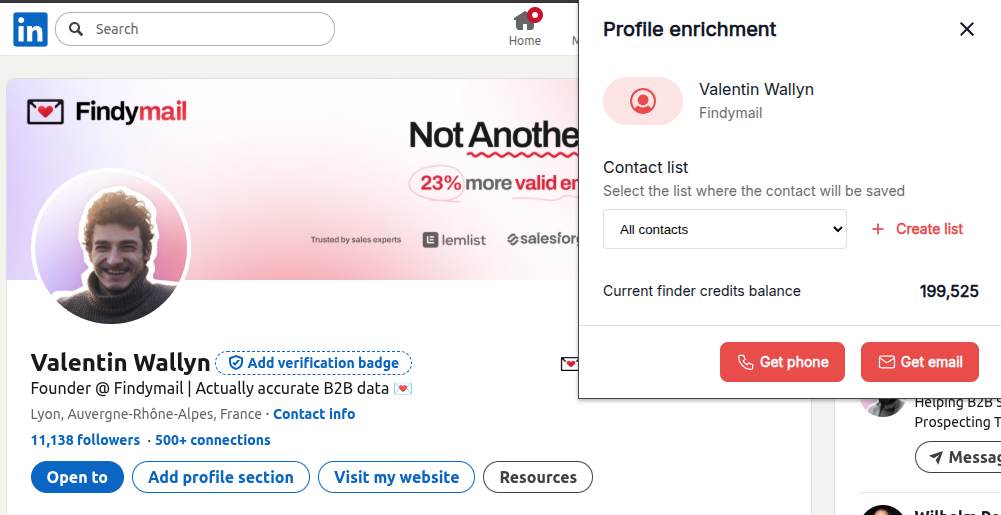
The first option is to download the Chrome extension and find email addresses on the go. You can do it as you prospect on LinkedIn.
Once you find the lead you’re interested in or land on their profile, click the Findymail extension’s icon in your toolbar, and the tool will find their verified email address.
How Much Does Findymail Cost?
Findymail will only deduct credits for verified email addresses. So, if we run a search for your lead and don’t find a verified address, you won’t be charged for it.
You get 10 free credits to take it for a test drive, after which the paid plans start from $49/mo for verified email addresses.
Method 2. Check Your Existing Sales Tools
The second option is to look at your existing cold outreach or sales enablement stack.
For example, a lot of B2B contact databases come with email addresses. The accuracy of those? It can be patchy, but you can always supplement it with an email verifier like Findymail.
Still, it’s a good starting point to consider tools you might be already using like Apollo or Zoominfo. Many modern sales teams also strengthen their workflow with an AI SDR Agent like Agent frank that helps automate outreach and keep lead data organized from the start.
In my experience, most sales teams end up investing in an additional email verifier. When you’ve built a robust lead list, the last thing you want to do is end up reading this article just because there are 5-10 email addresses your first tool can’t find.
You want backup, and you want accurate backup.
Method 3. Check Their Social Media
Depending on the individual and the network in question, you might be able to find their email address. For example, they might offer their email address on platforms like LinkedIn.
How to Find an Email Address on LinkedIn
Head to their profile and see if they have a hyperlinked text saying: “Contact info.”
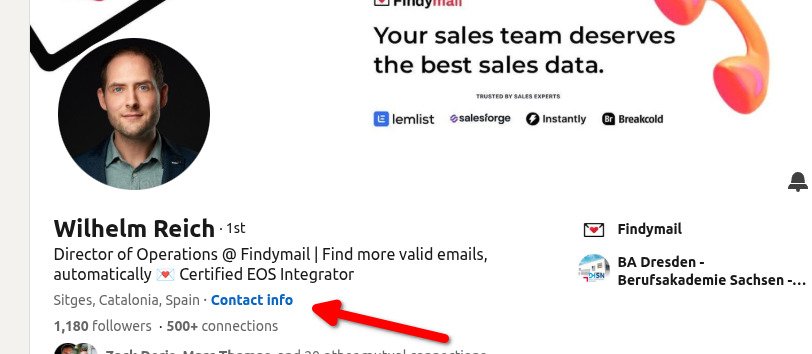
You should be able to see their email address there if it’s available and you’re connected.
No luck? You could write a good cold DM or connection request and ask them for their email address.
You could also try Findymail’s extension, which will automatically find and verify their email address for you.
How to Find an Email Address on Other Platforms
Every platform has a specialized contact section. Check it. If the person is comfortable displaying their email address publicly, it will be there.
Worst case scenario, you have to cold-DM them or use a tool.
 Valentin
Method 4. Check Their Website
Not all organizations publicly list their email addresses, but there are cases where the CEO wants to appear super approachable, making it a lucky day for you. Usually, you’ll find the email address on the “About” or “Team” pages.
If you’re targeting a smaller company or an individual, the “Contact” page and the contact form might land you in the right inbox.
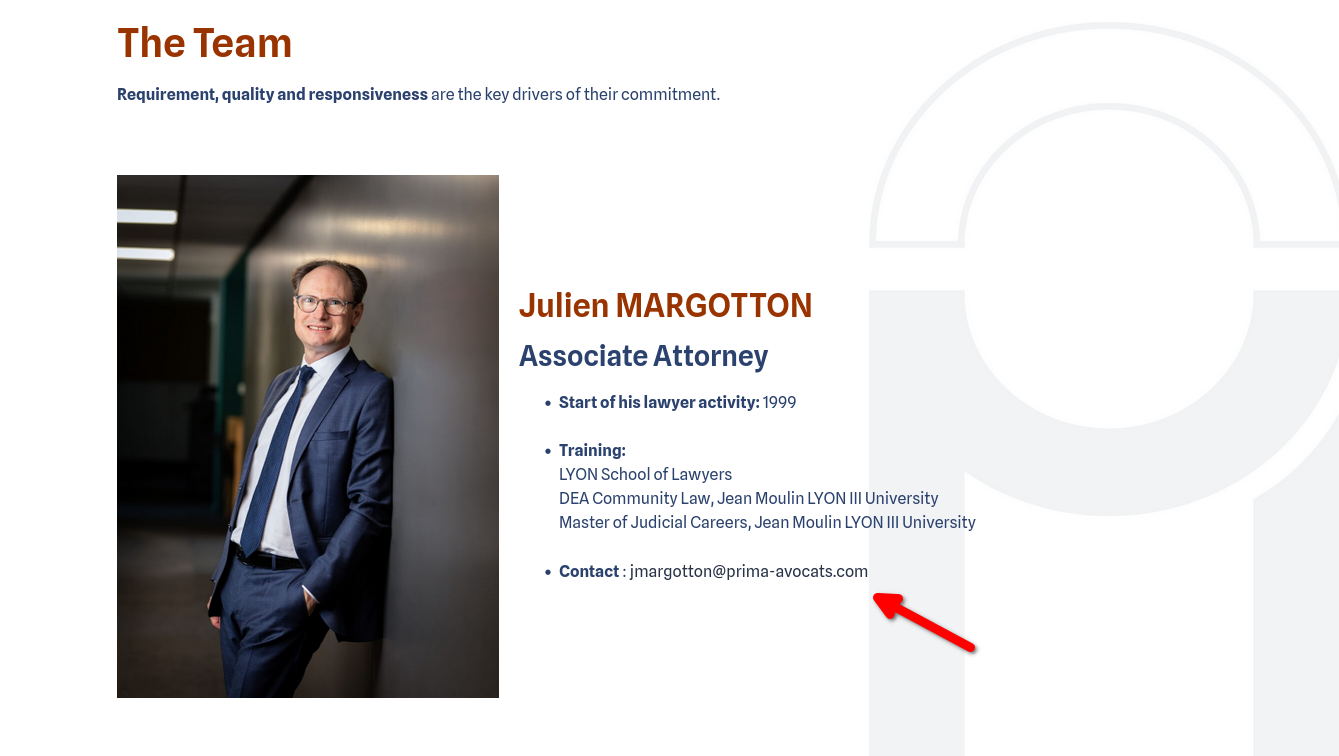
However, if you’re targeting senior stakeholders in big companies, the contact form will only land you in a catch-all inbox.
Method 5. Find Emails Using Google Search Operators
Typically, search engines don’t index email addresses because they’re considered sensitive information. However, some search operators will allow you to bypass the limitations and suss out the email addresses.
First, you can try to guess the email address format.
For example, does the company use the “[email protected]” format or perhaps “[email protected]”?
(Just please verify the address before you send an email. If this happens once or twice, you’re fine. If you do this constantly, your deliverability will decrease.)
Then, Google the address you’ve guessed.
Search Operators for Email Addresses
If you’re still getting nothing, try one of the following operators:
- Use double quotation marks to search for an exact phrase. Example: "[email protected]"
- Search a specific domain with the "site:" operator. Example: site:example.com email address or site:example.com + john.doe @ example.com
- Use the filetype operator to identify email addresses hiding in PDF or DOC files. Example: filetype:pdf "[email protected]"
- Try the wildcard (*) operator to replace unknown parts of an email address when you’re unsure about the email format. Example: john.doe*@emailprovider.com
Nothing on Google? No problem!
Try Other Search Engines
Google has its algorithms – but other search engines’ methods are different. Even if Google is blocking some information, other engines like DuckDuckGo and Firefox might display it.
Method 6. Search Their Personal Projects & Side Hustles
Some crochet and others are secretaries at their local baseball league. I’m trying to say that everyone has a passion project, and perhaps that’s how you get to them. Even if they’re not publicly displaying their professional email address, you might be able to find their personal one.
Do a review of their online presence. Do they have any portfolio websites? Are they part of a local group?
Then, expand the search by using their first name, last name and any other relevant keywords.
For example, “john doe texas little league secretary” or “jane doe denver graphic design.”
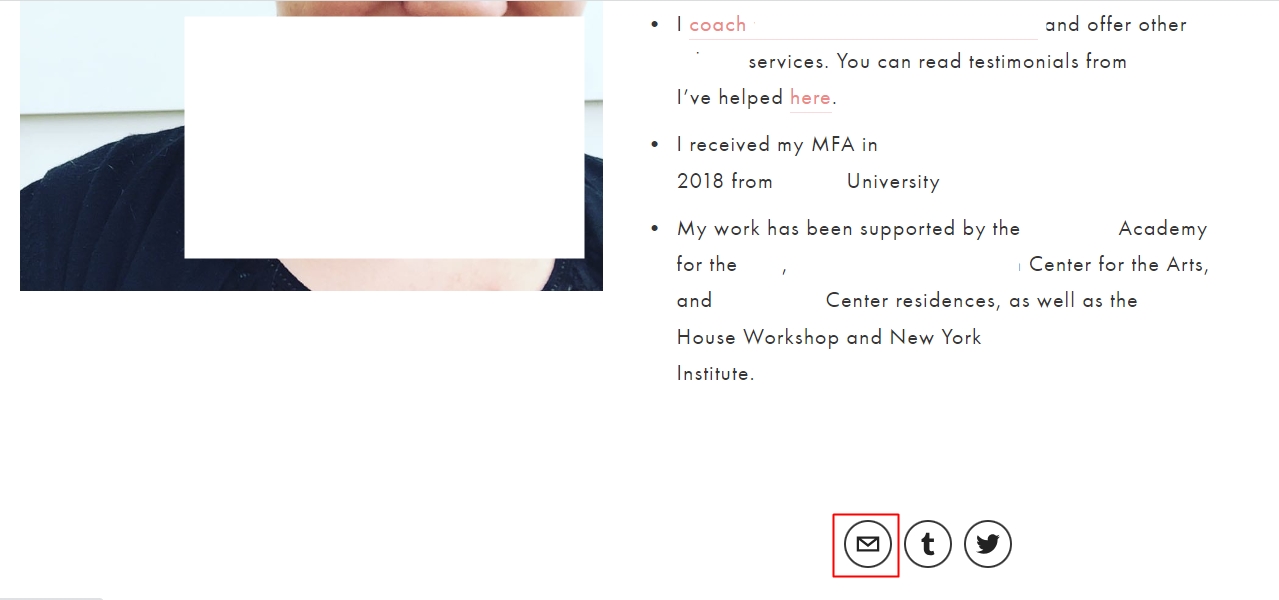
I had a hard time tracking down this lead’s email address until I found her personal portfolio website. The email icon leads directly to her personal email address.
Similarly, check if they wrote any articles, research papers or published scientific works. They often include contact information in their bylines or author bios.
Finally, check collaborative platforms like GitHub, Bitbucket, or GitLab, especially if the person is a software developer. Fair warning: most people use usernames on there that may or may not be connected to their names. You might even find an old AOL email address, and if they run a personal site, you can browse available domains linked to their projects to uncover contact details.
Bonus points: Found their niche username? Look it up on Google; you might find them on Reddit or other platforms where they’ll be more vocal when expressing what really frustrates and excites them. (It’s a gem for hyper-personalization!)
Method 7. Try The Wayback Machine and Web Archiving Tools
Back in the day, we were all quicker to display our email addresses. There weren’t as many spam emails as there are today.
So, if you’re targeting someone who’s been at a company for a long time (or you’re trying to contact an individual), plug the website URL into the Wayback Machine.
The Wayback Machine and similar web archiving tools will show you older versions of the site, and who knows? You might find an “About us” page complete with email addresses!
Method 8. Deep Digital Footprint Digging
If you’re at the point where going down the internet rabbit hole sounds like a good idea, boy, do I have more gems for you!
- Have they registered any trademarks or filed for patents? If they’re an entrepreneur, their contact information might be in there.
- If they own the website, check domain name registration records. They often require real owners’ contact information.
- Business directories related to their industry and local directories might be good sources, too. Same as with local chambers of commerce.
- Did they publish any press releases? Sometimes, that might lead you down the right path.
- Finally, check government websites. There might be email addresses associated with any businesses they’ve started, licenses they’ve obtained, etc.
You’re not going to do this for everyone you want to send an email to. But if you’re looking for a significant lead (that you perhaps plan to include in your ABM strategy), this type of digging will help you find out what makes them tick.
Method 9. Just Ask for the Email Address!
Finally, if all else fails, you’ll need to reach out via the channel you can find them on (usually, LinkedIn) or secure an introduction. This isn’t bad news – you’ll just need a strong position statement and proof of your worth.
One of the things I’ve found work well, in addition to battle-tested cold email templates, is sliding into their DMs with relevant (and interesting) information.
For example, add the lead to your Sales Navigator first and look for shared interests or recent information they’ve shared. Maybe they’ve been hiring recently, and it’s been a frustrating experience. Perhaps they have a niche interest they posted about.
All of this gives you a relevant “in.”
Of course, you can promise results, but in the sea of “Quick questions,” it’s much better to be a friendly voice looking for a warm connection.
Your method depends on how much time you have. But if you’ve got a solid cold outreach strategy that closes frequently and this lead is right up your ICP – get in touch with them! Good offers open doors (and get email addresses).
Frequently Asked Questions
Is it legal to find someone's email address?
Yes, finding publicly available email addresses is legal. However, how you use them matters. Cold emailing is legal under CAN-SPAM (US) and GDPR (EU) if you follow opt-out requirements and have a
legitimate business interest. The FTC confirms that, provided you include an opt-out mechanism and a physical address.
What is the most accurate email finder?
Findymail consistently achieves 97%+ accuracy by triple-verifying every email address. Most competitors average 70-85% accuracy, which can damage your sender reputation.
Can I find email addresses for free?
Yes, but with limitations. Free methods include checking LinkedIn profiles, company websites, and using Google search operators. For reliable, verified emails at scale, a paid tool like Findymail is
more efficient.
How do email finder tools work?
Email finders use a combination of web scraping, pattern matching (guessing formats like [email protected]), and SMTP verification to locate and validate email addresses.
Can I find email addresses automatically?
To find email addresses automatically, you need to use an email finder API that you can connect to your automation tools and scripts.
What's the best email format to guess?
The most common B2B email formats are:

Valentin
Valentin Wallyn is the founder and CEO of Findymail, a SaaS platform he launched to help B2B teams discover accurate email and contact data and automate data enrichment at scale. With an IT background, Valentin combines a technical mindset with hands-on experience in outreach and growth. His work centers on improving data quality and prospecting efficiency, drawing on years of entrepreneurial experience and a deep understanding of what makes outreach campaigns succeed.